
ShipFast
ShipFast is a Logistics platfrom and Aggregator that enables D2C brands for Shipments.
Courier Partner ID: 602
Services Integrated
- Order Creation
- Cancellation
- Tracking via Polling
- NDR
Steps to setup ShipFast on Clickpost
-
Firstly, Complete the process of setting up a courier partner account by following the steps: https://docs.clickpost.ai/docs/create-an-courier-partner-account
-
This is the screen that you'll get :
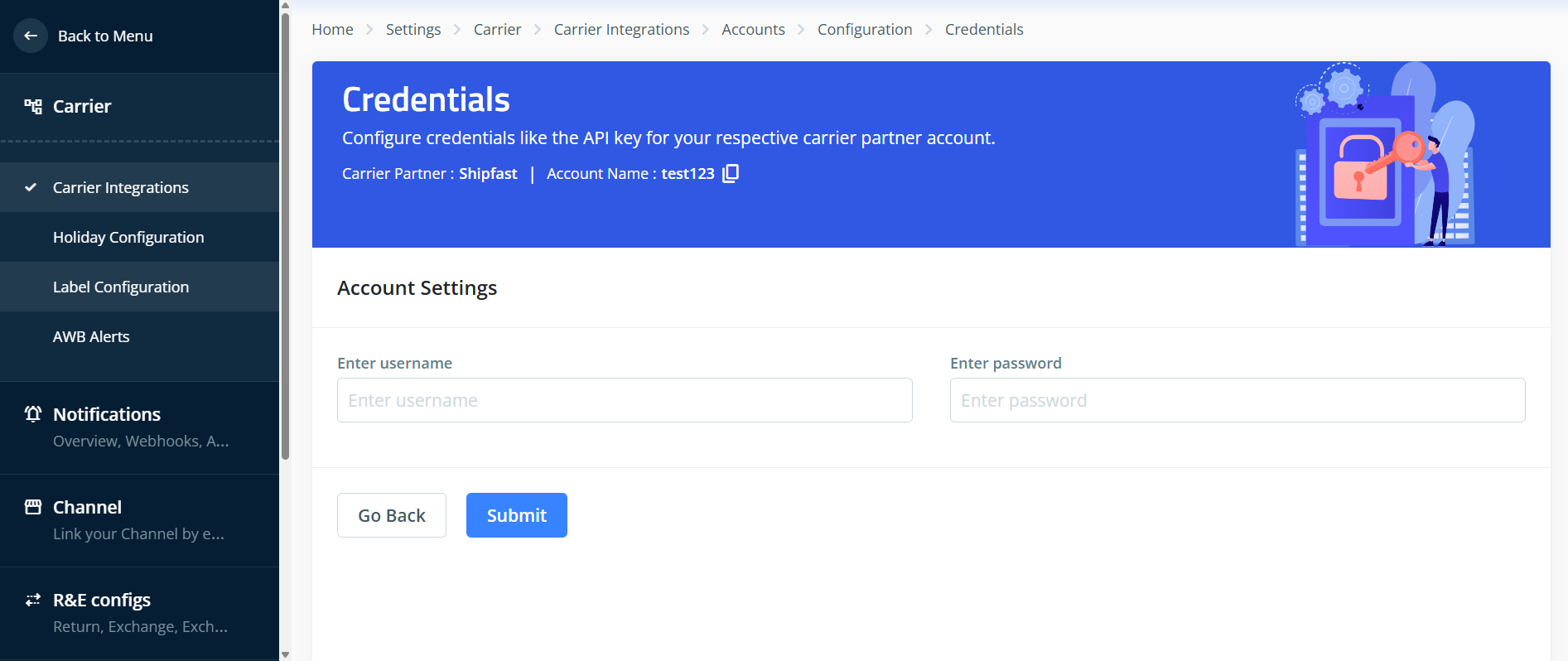
Here, you can add the credentials as shared by the Shipfast team. To give you a brief:
UsernameandPasswordare needed to generate the Tokens needed for ShipFast's Order Creation, Cancellation, and Tracking APIs. You will get it from your Shipfast relationship manager.
- Once done, kindly press Submit and you have set up Shipfast on Clickpost.
Note:
- Pre-assigned AWBs: No need to configure pre-assigned AWBs, AWBs are generated by ShipFast in real-time during the order creation API call and returned back in response.
Vendor Code Flow Setup
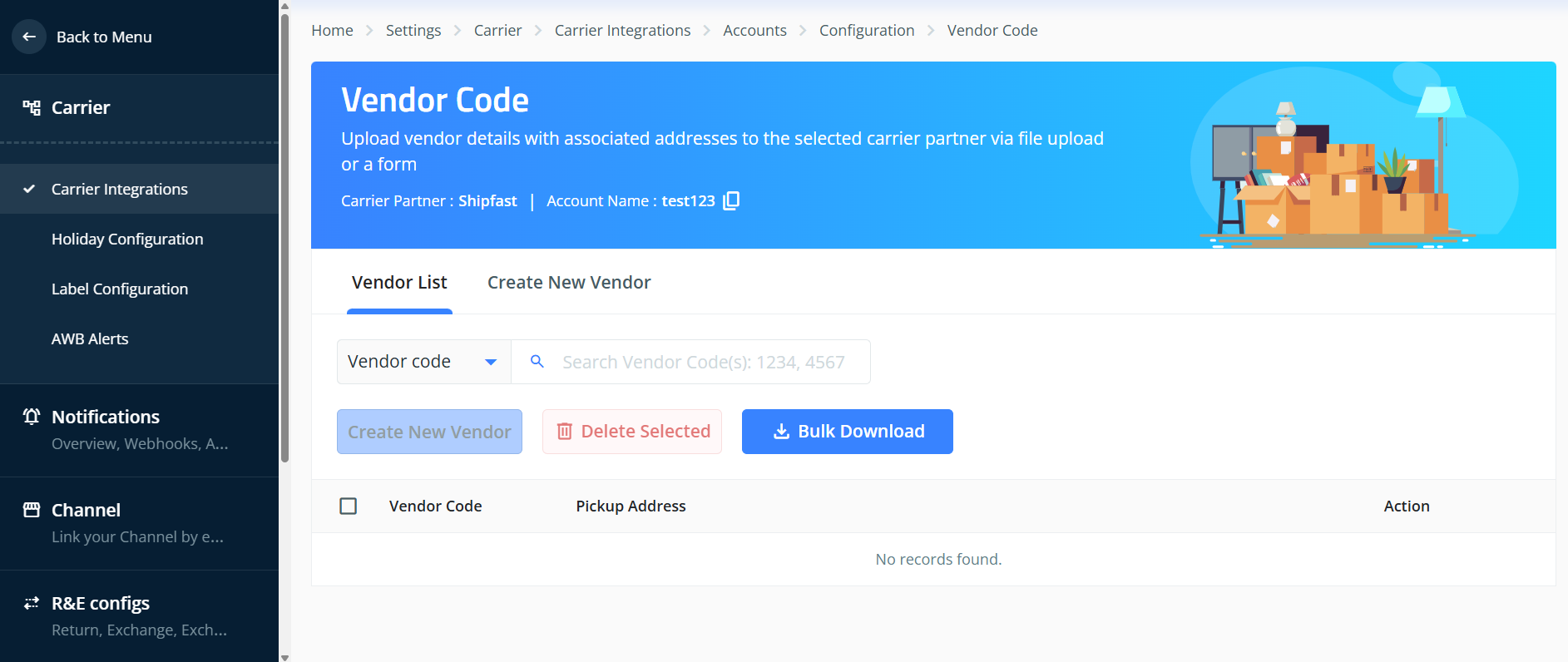
- Firsty , go to the Vendor Code Setup in your Shipfast Account where you can configure the Vendor code list aka the warehouse id's in Clickpost. now you can go to the Create New Vendor to configure. The Screen you will see is this:
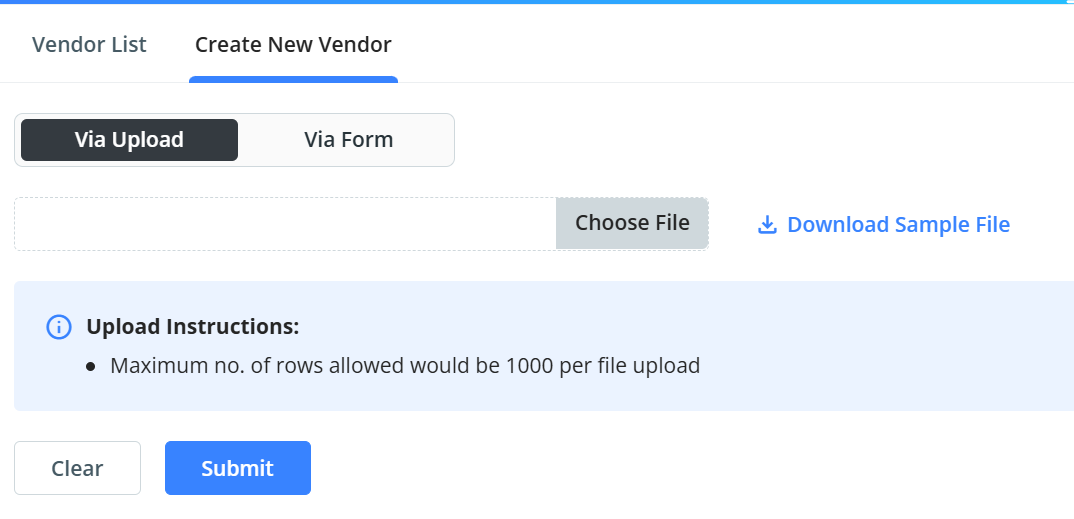
- Next , you can upload the vendor codes in our dashboard via 2 ways, firstly via file method, where you can download a sample file and fill the necessary details and upload it.
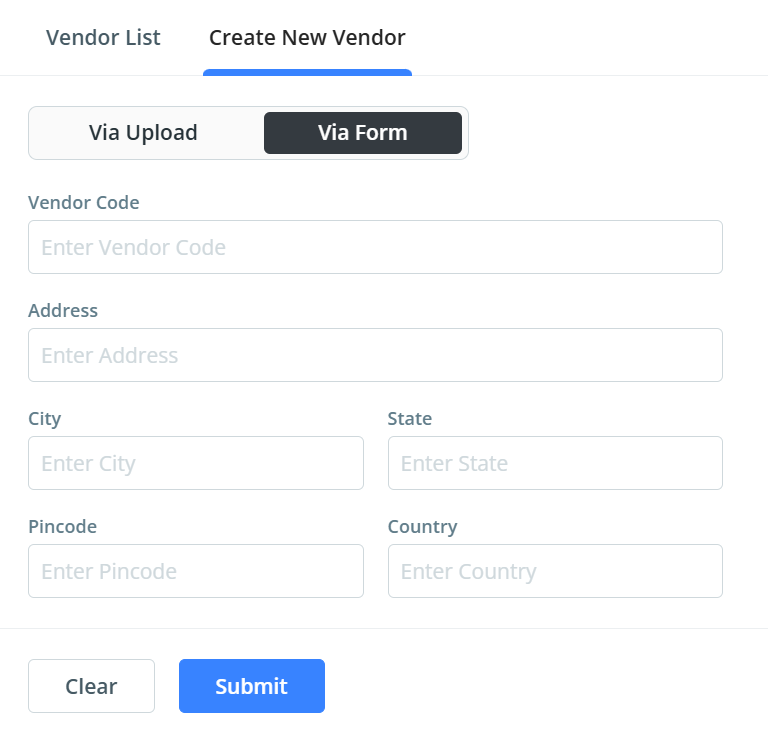
- Secondly, you can upload via the form for indivudual vendor codes where you can enter the vendor code and the details and click on submit. The screen you will see for this is:
- You can also Configure the Vendor code via the API method where we have a "vendor_code" field in our payload in which you can send the vendor code to ClickPost.
Now You can now start using ShipFast with Clickpost APIs.
Updated 25 days ago
Did this page help you?