
Easyecom Pre dispatch configuration ( India and International)
Please follow the below steps to create shipments via Clickpost <> Easyecom pre-dispatch integration
For India
- Login into Easyecom panel:https://app.easyecom.io/V2/account/auth/login
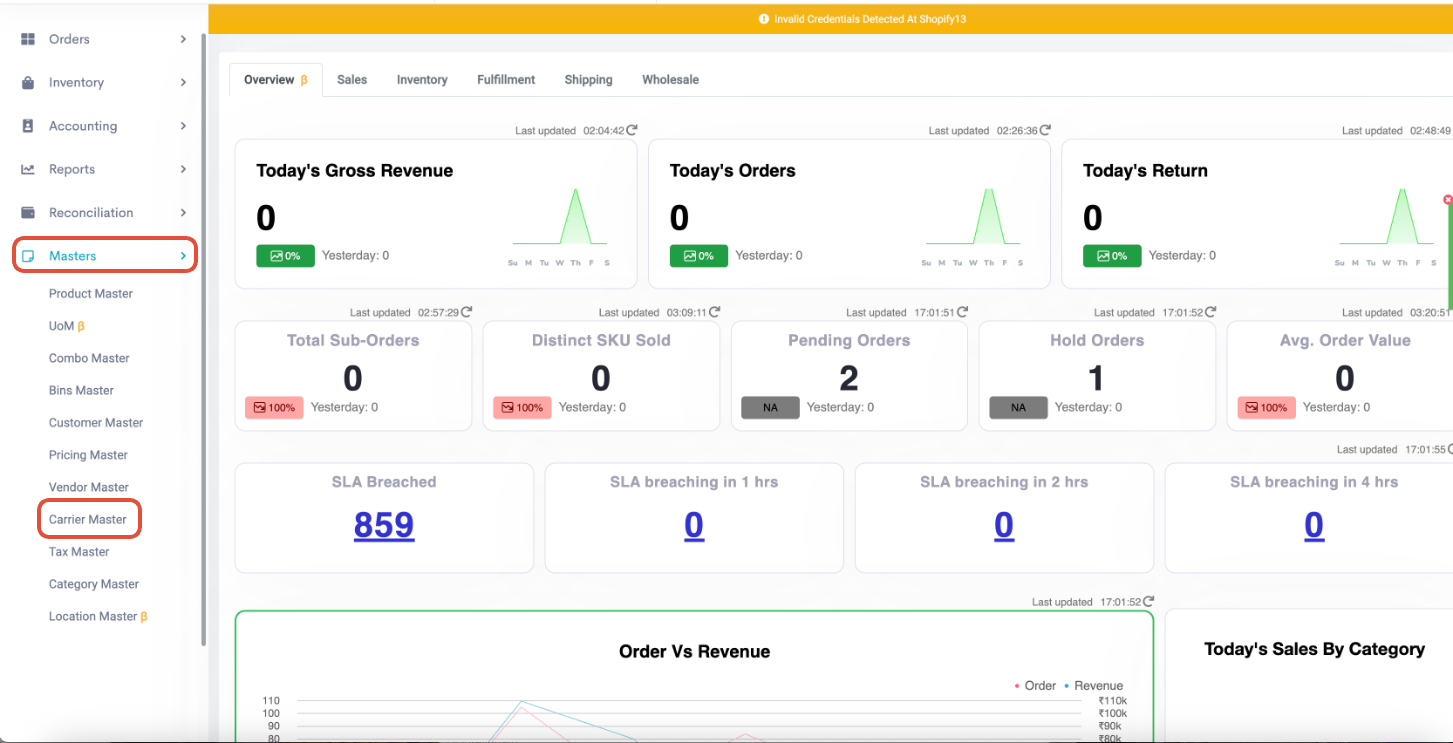
- Go to "Masters" >> "Carrier Master"
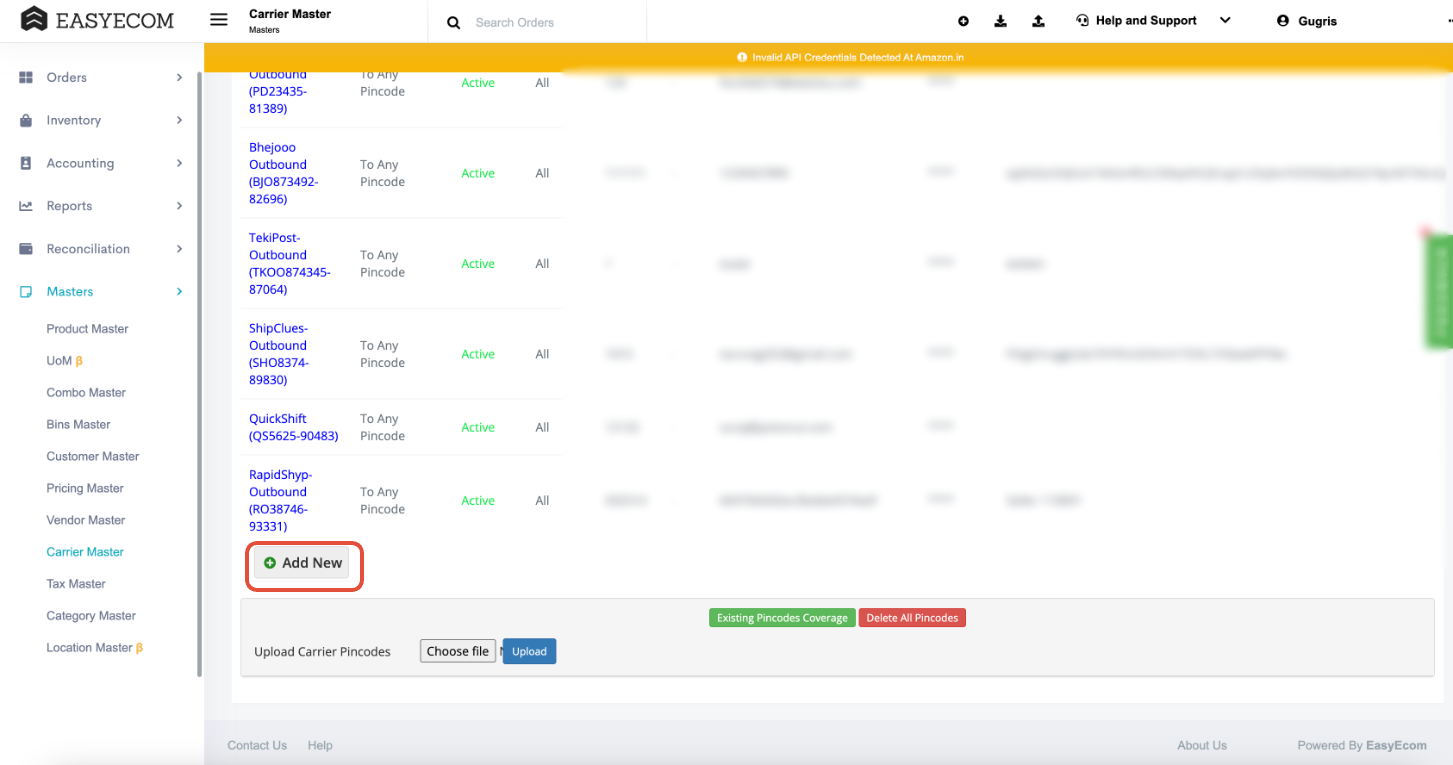
- Click on "Add new" button
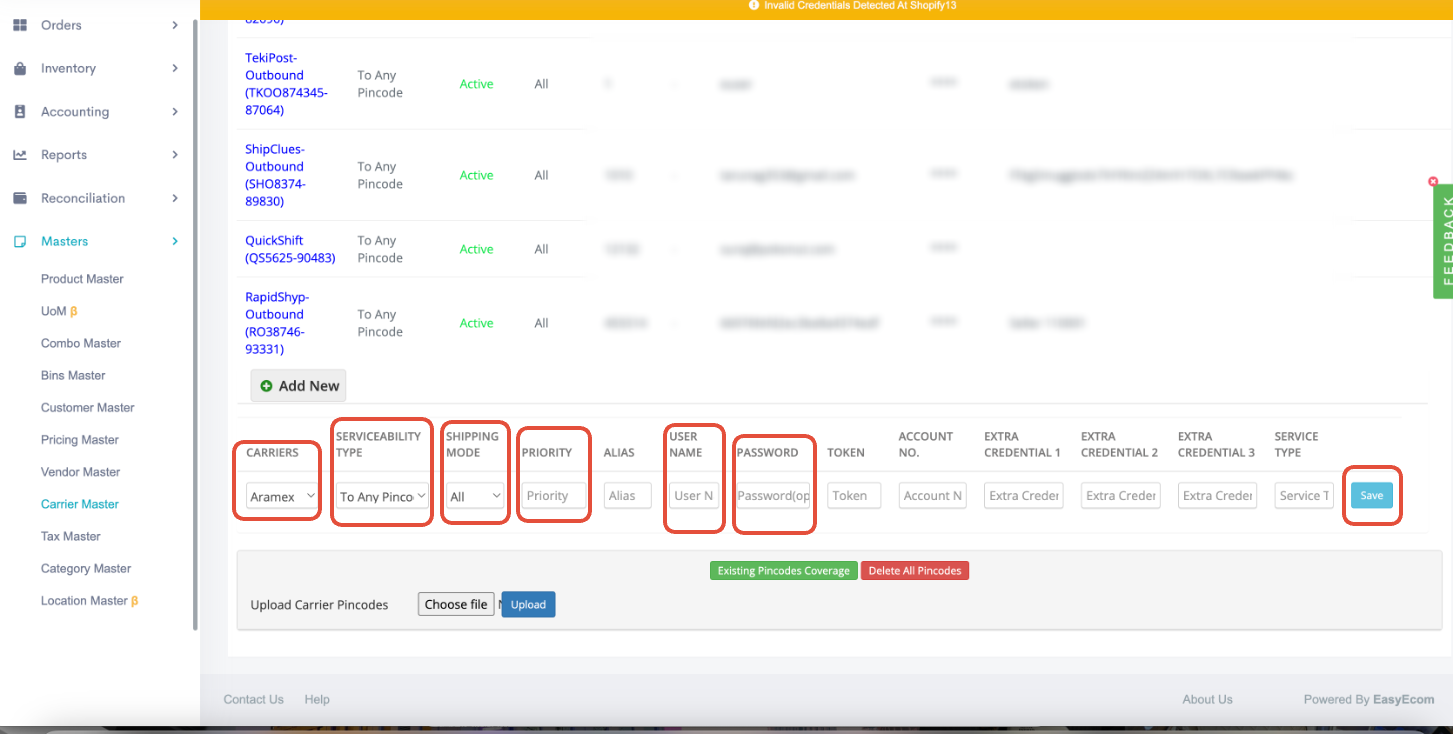
- Please select the below options in the highlighted sections
- Carriers: Please select "Clickpost" from the drop-down
- Serviceability type: To Any Pincode (You can change it as per your requirement)
- Shipping mode: All (You can change it as per your requirement)
- Priority: Please select priority ( Ideally it should be 1)
- Username: Please add the username shared by Clickpost team here
- Password: Please add the "Api_key" shared by Clickpost team here
After adding all the details click on "Save"
Post which you will be able to create shipment via Clickpost
For International ( Crossborder flow)
To create international/cross-border shipments via Clickpost, the first 3 steps will remain same as above flow.
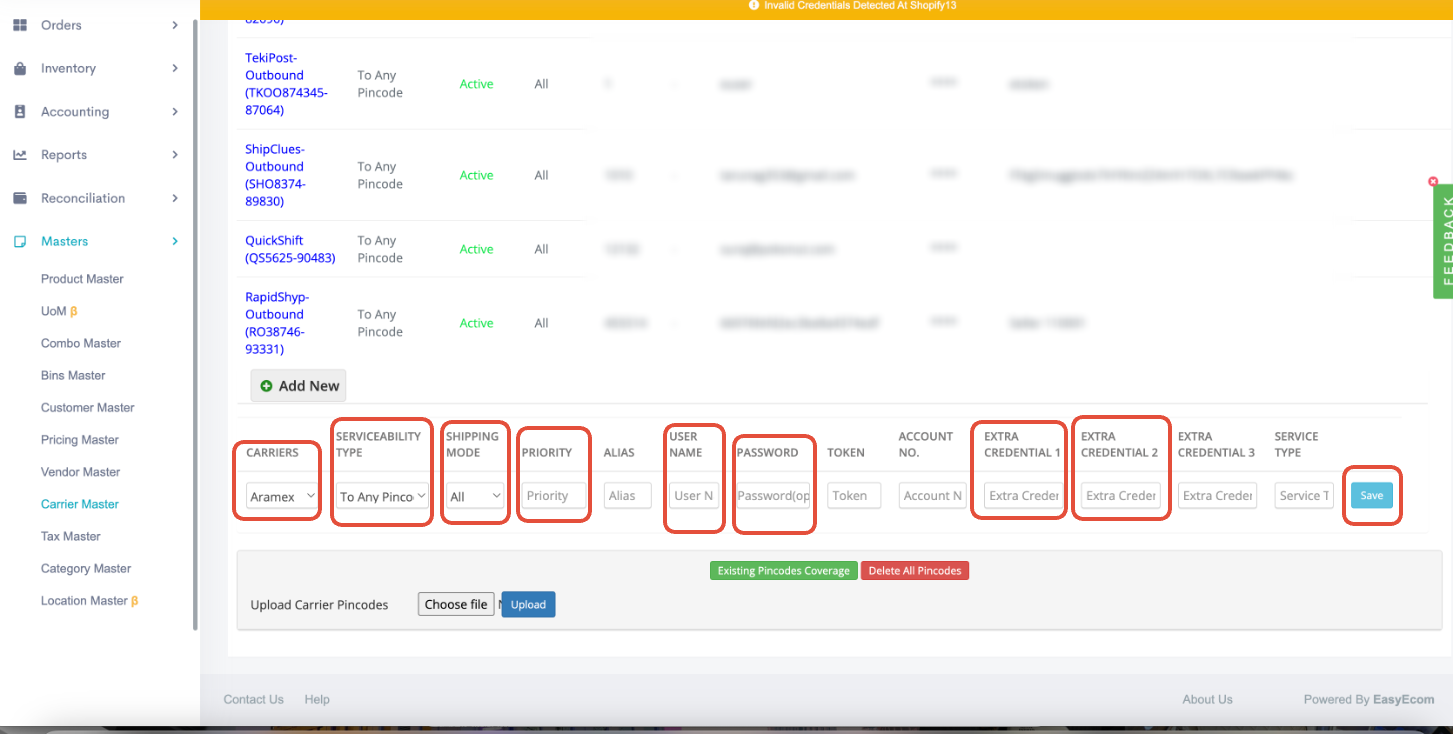
Please select the below options in the highlighted sections to international/cross-border shipment creation flow
- Carriers: Please select "Clickpost international" from the drop-down
- Serviceability type: To Any Pincode (You can change it as per your requirement)
- Shipping mode: All (You can change it as per your requirement)
- Priority: Please select priority
- Username: Please add the username shared by Clickpost team here
- Password: Please add the "Api_key" shared by Clickpost team here
- Extra credentials 1: Please add value of exporter_type (Default value is UT)
- Extra credentials 2: Please add the duty_fee_paid_by in this field (Default value is R)
Please Note: ClickPost International is currently only B2C shipments Enabled for Shipping country: USA ;
Please reach out to [email protected]and [email protected] to enable any new shipping country or B2B shipments for Clickpost-International.
After adding all the details click on "Save"
Post which you will be able to create shipment via Clickpost international flow.
Updated 7 months ago