
Shadowfax
Shadowfax is an End-to-End Logistics provider that provides e-commerce, hyper-local, on-demand delivery solutions for businesses for seamless business operations and dynamic growth.
Courier Partner ID: 9
Services integrated:
- Order Creation
- Order Cancellation
- Tracking via Polling
- Tracking via Webhooks
- Proof of Delivery
- Edit order
- NDR
Steps to setup Shadowfax on Clickpost
-
Firstly, Complete the process of setting up a courier partner account by following the steps: https://docs.clickpost.ai/docs/create-an-courier-partner-account
-
This is the screen that you'll get :
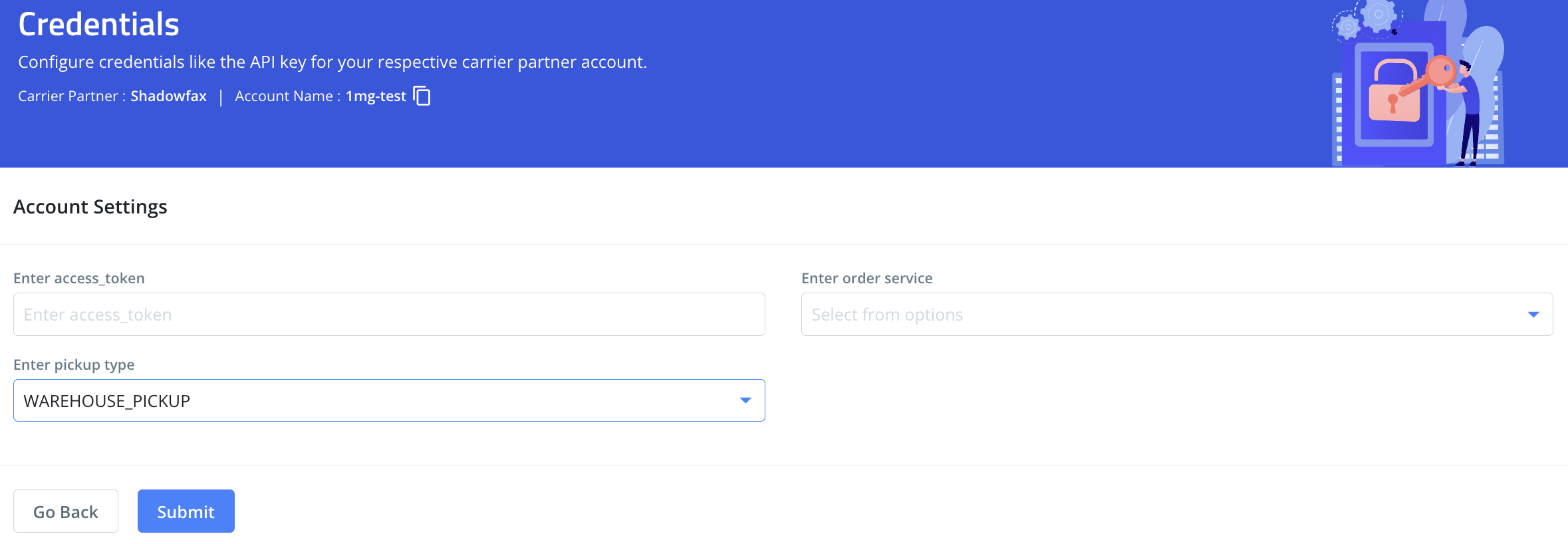
Here, you can add the credentials as shared by the Shadowfax team. To give you a brief:
| Name | value | description |
|---|---|---|
access token | Shadowfax API uses Token Authentication. Shadowfax POC will provide this for staging and production. | |
order service | NDD, SURFACE, REGULAR | The order service type values can be ndd, surface, or regular. Where, NDD = Next day delivery |
pickup type | WAREHOUSE_PICKUP SELLER_PICKUP | Sahdowfax provides support for 2 types of pickup where each has a different flow, Warehouse_Pickup = Warehouse model integration API endpoints will be used to create a new delivery request in Shadowfax e-commerce Forward System. Seller_pickup = Marketplace seller model integration API endpoints will used to place a new seller pickup and delivery order in the Shadowfax system. |
- Once done, kindly press Submit and you have set up Shadowfax on Clickpost.
- Pre-assigned AWBs: Shadowfax supports both flows pre-assign awbs (Auto fetch AWB API) and real-time awb generation for order creation, In case you are activating Shadowfax for order creation with pre-assign flow, you need to set auto fetch awbs in clickpost.
Steps to Setup Auto fetch AWBs in Clickpost:
- Follow from step 7 https://docs.clickpost.ai/docs/courier-partner-integration
Note:
- Labels: Clickpost does generate a label for Shadowfax orders. Labels are generated by Clickpost and returned in API response to the customer.
Updated 26 days ago
Did this page help you?